
Customers
Fund a wallet, send money, scan QR codes, tap with NFC, pay merchants, cash out, and review every transaction.
Contactless wallet, QR, NFC, POS, and agent payments
Fund a wallet, send money, scan QR codes, tap to pay with NFC, and withdraw cash. Merchants can receive payments, generate QR codes, accept wallet transfers, and settle to bank.

For Customers
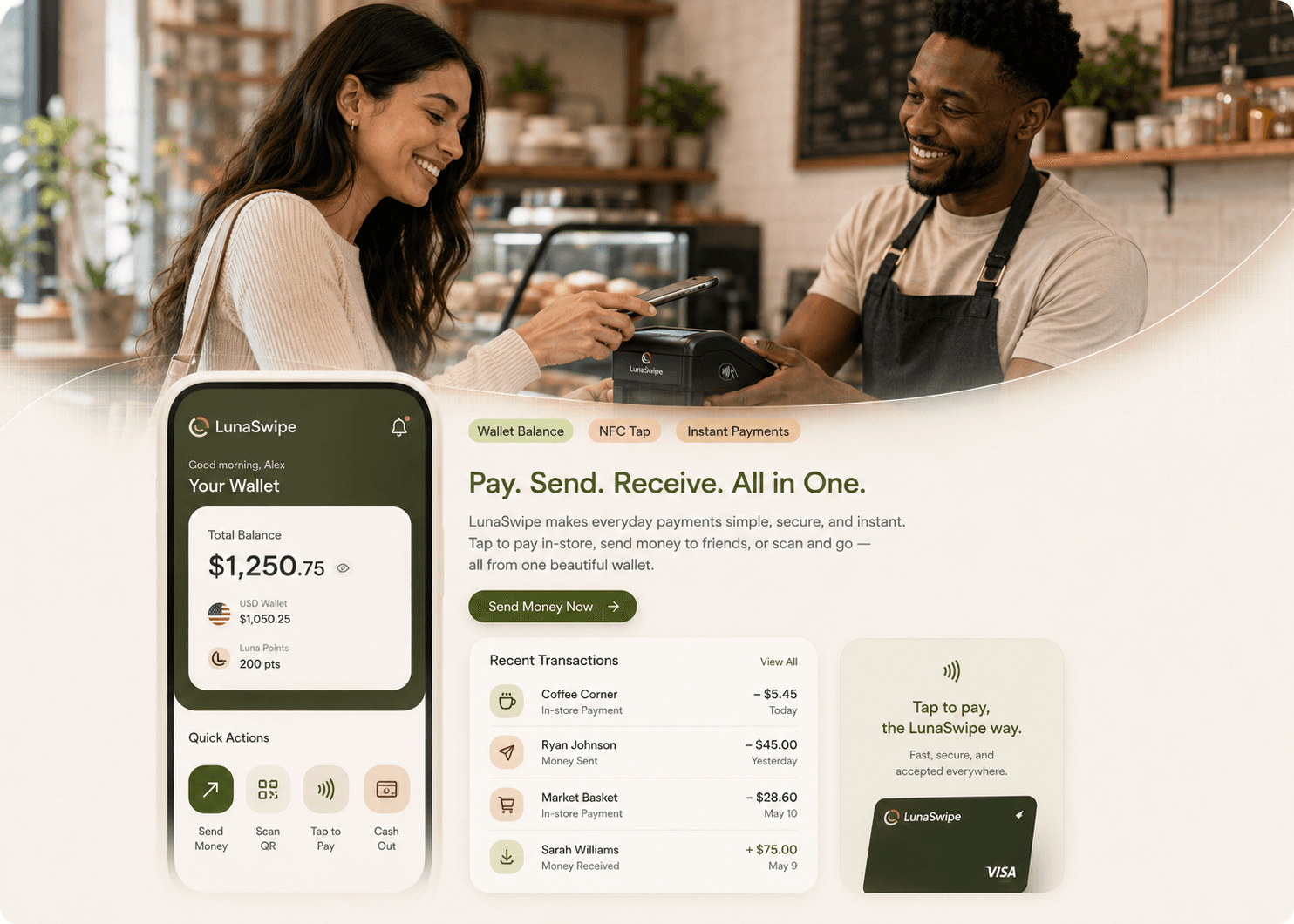
Customers can fund a LunaSwipe wallet, pay merchants, send app-to-app transfers, scan QR codes, tap with NFC, and review every wallet debit, credit, reversal, and receipt.
Payment ecosystem
LunaSwipe connects mobile wallets, merchant acceptance, approved cash-out points, POS terminals, settlement workflows, and internal operations.
Fund a wallet, send money, scan QR codes, tap with NFC, pay merchants, cash out, and review every transaction.
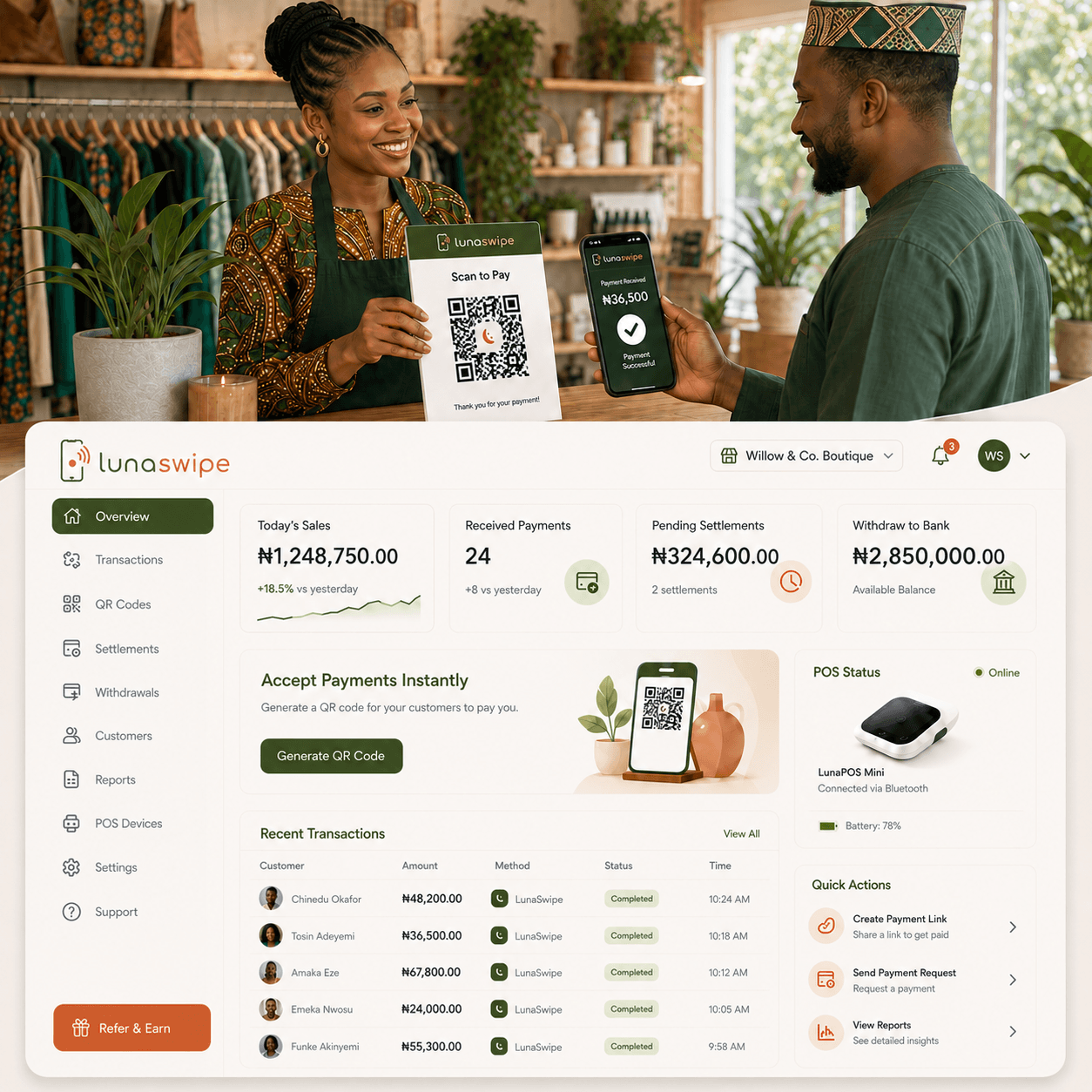
Accept wallet payments, generate static or dynamic QR codes, monitor sales, manage POS activity, and settle to bank.
Serve cash-out customers, confirm wallet debits, manage approved devices, and earn clear transaction fees.
Monitor KYC, reversals, disputes, settlements, device health, pricing rules, audit logs, and merchant activity.
Phase 1 modules
The first product phase focuses on wallet payments, QR, NFC, merchant acceptance, POS management, cash-out, ledger integrity, and reconciliation.
Fund your wallet, send money, pay merchants, scan QR, tap to pay, cash out, and view transaction history from one clean mobile app.
Receive payments, generate QR codes, accept wallet transfers, track daily sales, and request settlement to your bank account.
Customers bring their phone close to a LunaSwipe POS or merchant phone to approve a secure wallet payment.
Merchants can use static QR for simple wallet payments or dynamic QR for exact transaction amounts.
A merchant device for NFC wallet taps, QR payments, app-to-app payments, receipts, transaction history, and future card acceptance.
Approved merchants and agents help customers withdraw physical cash from wallet balance and earn transaction fees.
A secure ledger records balances, debits, credits, reversals, fees, failed states, and transaction history.
Internal teams monitor KYC, disputes, reversals, settlements, POS terminals, pricing rules, and merchant activity.
How it works
Every customer payment creates a clear debit, merchant credit, fee record, notification, and auditable transaction reference.
Money enters the LunaSwipe wallet through supported funding routes and is recorded in the internal ledger.
The customer chooses NFC tap-to-pay, QR payment, or app-to-app transfer from the mobile wallet.
The merchant app or POS confirms the payment status instantly with receipt details and transaction reference.
The system records customer debit, merchant credit, fees, reversal state, and settlement eligibility.
Customer and merchant receive alerts, while merchants can request withdrawal to bank when ready.
POS and NFC
LunaSwipe starts with wallet-based NFC payments, not direct bank card payment. Customers tap their phone near a LunaSwipe POS or an NFC-enabled merchant phone. The system exchanges a short-lived secure token, confirms the transaction online, updates the wallet ledger, and sends instant notifications to both sides.
For Merchants
The merchant app and dashboard help businesses receive QR, NFC, and app-to-app payments, track sales, review POS activity, manage failed payments, and request withdrawal to bank.

Agent Network
Approved LunaSwipe merchants and agents can help customers convert wallet balance into physical cash. The agent confirms the wallet debit, gives cash to the customer, and earns a fee from the transaction.
QR signs, agent badges, POS devices, transaction references, commission rules, and reversal handling help cash-out points operate clearly.
Entry use cases
Launch with clear acceptance flows for QR payment, NFC tap, wallet transfers, cash-out, POS activity, receipt references, and daily reconciliation.
High-cash merchant workflow
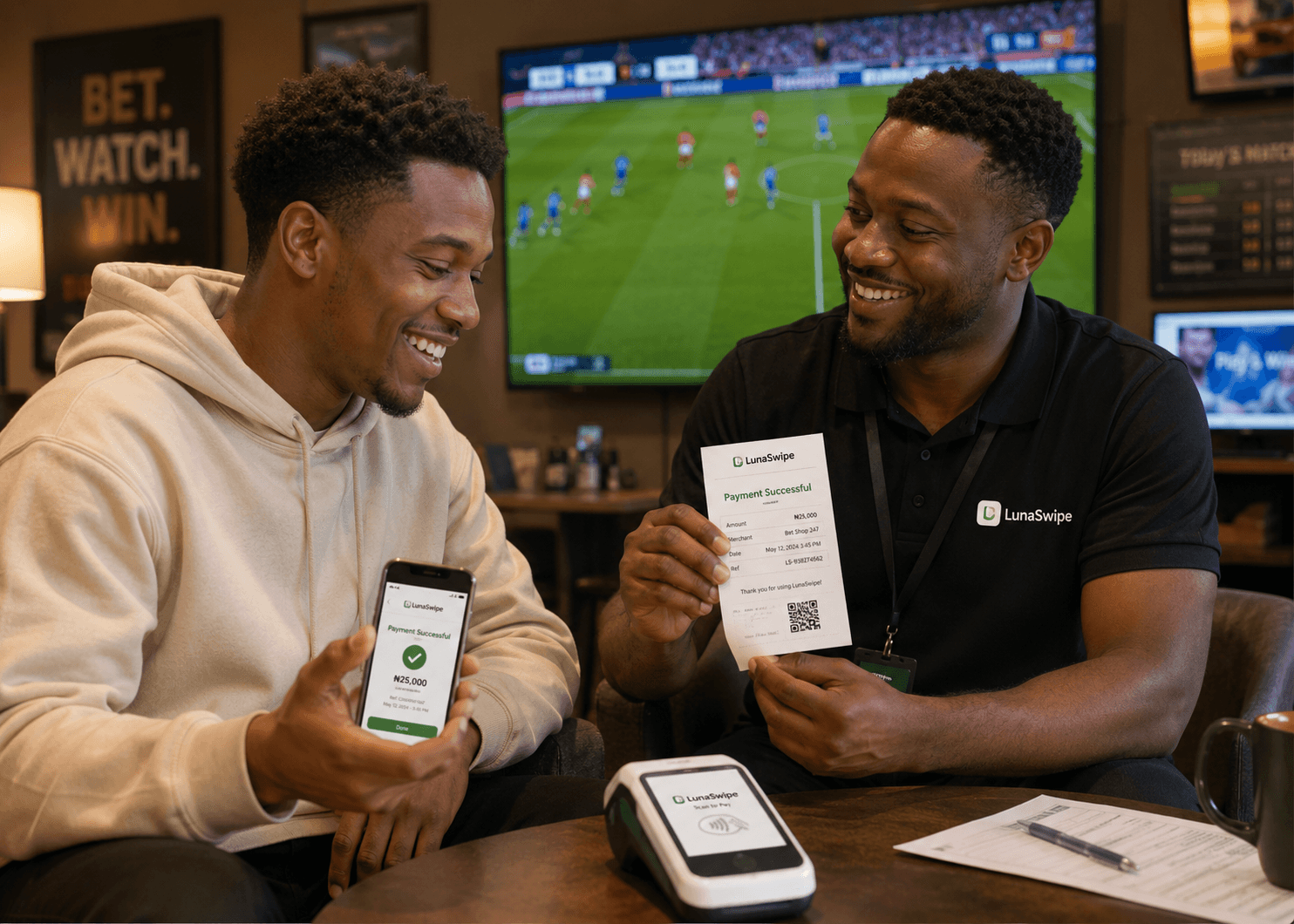
LunaSwipe supports betting shops and similar merchants with payment confirmation, payout tracking, and end-of-day reports.

Approved agent network
Approved LunaSwipe agents help customers convert wallet balance into physical cash while earning a transparent fee.

Everyday merchant acceptance
Retail merchants can accept wallet payments through QR, NFC phone-to-POS, NFC phone-to-phone, or app-to-app transfer.
Admin Console
The LunaSwipe admin console helps internal teams manage users, merchants, KYC, disputes, failed payments, reversals, refunds, POS devices, settlement issues, pricing rules, and audit logs.

Security and trust
LunaSwipe is designed around secure payment references, device-level controls, customer approval, reversal handling, notifications, and auditability.
NFC and QR flows exchange short-lived payment tokens before the wallet ledger updates.
Transaction PIN, biometric confirmation, device binding, and payment references protect wallet actions.
Failed transactions, reversals, refunds, and pending settlement states are tracked for reconciliation.
KYC/KYB readiness, fraud checks, audit logs, POS device status, and alerting support platform trust.
Business model
LunaSwipe earns through merchant acceptance, cash-out, POS devices, settlement services, subscriptions, transaction commissions, and agent network activity.
Start with retail stores, restaurants, betting shops, transport points, market merchants, pharmacies, and high-cash counters.
Approved merchants earn on customer cash-out while increasing local wallet utility and repeat payment volume.
Use cases
LunaSwipe can support businesses where wallet payment, cash-out, QR confirmation, POS activity, and daily reconciliation matter.
Start with LunaSwipe
Join LunaSwipe early access, request a merchant demo, become an approved agent, or partner with the platform.
Plan a customer wallet, merchant, POS, QR, NFC, or agent cash-out rollout.
Talk to LunaSwipe